
OCR automation is often misunderstood as a simple “scan-to-text” tool. In reality, it’s a critical layer in document-driven workflows that determines whether data becomes usable—or remains trapped in files.
Most businesses don’t struggle with OCR itself. They struggle with everything around it: structure, validation, and system integration. For a broader view of how these systems connect, explore all automation blogs.
Key takeaways
- OCR converts unstructured documents into machine-readable data—but not usable workflows
- High OCR accuracy without validation still produces unreliable systems
- Failures occur in extraction, validation, and system handoff
- OCR must be integrated into automation systems to deliver value
What OCR automation actually is
Optical Character Recognition (OCR) is the process of extracting text from images or scanned documents. OCR automation extends this by embedding extraction into workflows.
At a system level, OCR workflows follow a pipeline: document intake → extraction → validation → integration.
Instead of just reading text, systems classify documents, extract fields, and push data into tools like CRMs or accounting systems.
For a broader system view, see document automation guide or explore all automation guides.
Data & Evidence
According to IBM, up to 80% of business data is unstructured, meaning it cannot be directly used by systems without transformation (IBM Think Insights).
McKinsey research shows that knowledge workers spend nearly 20% of their time searching for internal information, highlighting how much operational time is lost to fragmented, document-based data (McKinsey Global Institute).
This directly impacts OCR workflows, where unstructured documents must be transformed into structured system data before they can be used.
Where it breaks
OCR failures rarely happen at the “reading text” stage. They happen across the workflow.
Technical analysis shows that OCR performance is shaped by input quality, preprocessing, and system design—not just the engine itself (LlamaIndex).
This creates a cascade: inconsistent inputs lead to ambiguous field extraction, which goes unchecked without validation, and ultimately flows into systems through broken integrations.
These breakdown patterns are common in manual document workflows.
This breakdown is illustrated below, where document data fragments across disconnected systems.
For example, in invoice processing:
- OCR extracts the vendor name incorrectly
- No validation flags the mismatch
- The accounting system accepts the entry
- Reports become inconsistent
- Finance teams manually correct records later
1. Input inconsistency
Different formats, layouts, and image quality create unpredictable extraction results.
2. Field ambiguity
OCR extracts text, but doesn’t inherently understand meaning.
3. No validation layer
Incorrect data moves forward without being flagged.
4. Broken integrations
Bad data gets accepted into downstream systems.
This is why standalone OCR tools fail without integration services.
Symptoms
These symptoms are the downstream result of the four failure points described above.
- Manual data correction after OCR processing
- Frequent errors in invoices or records
- Delays between document receipt and system updates
- Duplicate or inconsistent records
System effects
OCR breakdowns don’t stay isolated—they propagate across systems.
Operational delays
Incorrect extraction requires human review, slowing throughput.
Data integrity issues
Bad OCR data leads to CRM inconsistencies and reporting errors.
Workflow fragmentation
Teams rely on workarounds instead of systems.
Hidden labor cost
Time saved on typing is often lost in verification and correction. In OCR workflows, this rework shows up as fixing extraction errors, validating fields, and reprocessing documents. Workday research shows that up to 40% of automation time savings are offset by this type of rework (Workday Research).
If these issues are already affecting your workflows, review your system structure through a free business process audit.
Solution direction
Improving OCR is not about accuracy alone. It requires a system that combines structured extraction, document classification, validation layers, and direct integration into business workflows.
In the system below, OCR is embedded into a structured pipeline that ensures data accuracy and usability.

In practice, this means documents are first classified, key fields are extracted, validation rules check values like totals and vendor consistency, and approved data is automatically pushed into systems like CRMs or accounting platforms.
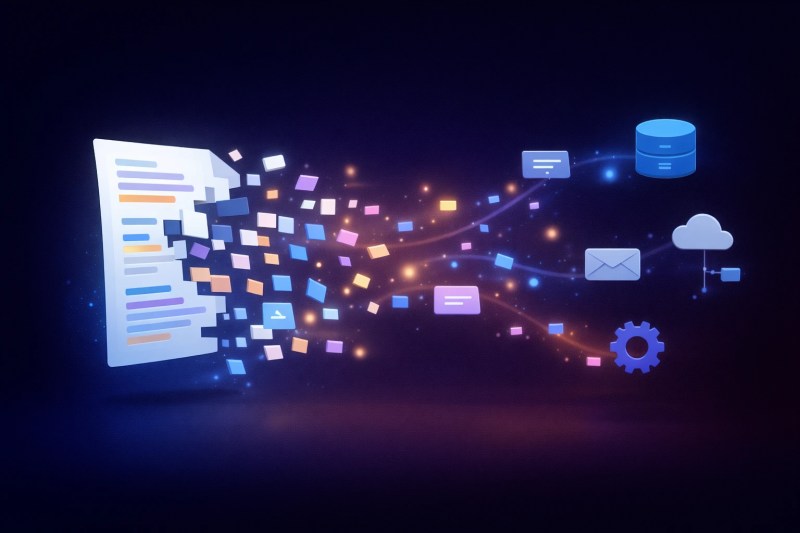
This transformation is illustrated below, where documents become structured, validated system data.

This validation layer ensures extracted data is actually usable—for example, verifying totals against line items, matching vendor names to known records, and flagging anomalies before data enters core systems.
Explore how these systems are implemented across automation solutions or through automation services, including document automation services.
Before vs After
This results in documents moving from intake to system entry without manual correction loops. The comparison below highlights the operational difference between manual workflows and automated OCR systems.

| Stage | Before OCR Automation | After OCR + Automation |
|---|---|---|
| Data Entry | Manual typing | Automated extraction |
| Validation | Human review | Rule-based + AI validation |
| Processing Speed | Hours to days | Minutes |
| System Updates | Manual upload | Automated sync |
FAQ
Is OCR enough to automate document workflows?
No. OCR extracts text but does not validate or route data.
Why does 99% OCR accuracy still fail in practice?
Because even a 1% error rate compounds at scale. For example, at 10,000 invoices per month, 99% accuracy still means 100 incorrect records entering your system—each requiring manual review, correction, and potential reprocessing.
What is the difference between OCR and AI document processing?
OCR extracts text from documents, while AI document processing adds classification, context understanding, and validation. OCR reads data, but AI systems make that data usable within workflows.
Where should OCR be used?
Invoices, contracts, forms, and document-heavy processes.
Conclusion
OCR automation is not a standalone solution. It is one layer in a system that transforms documents into usable data.
Without structure, validation, and integration, small extraction errors compound into system-wide issues—delays, bad data, and continuous manual correction. If you’re seeing these patterns in your workflows, start with a free business process audit.
To understand how OCR fits into broader workflows, see AI automation guide and digitizing business documents.
Next step
If your team is still fixing OCR errors manually, the issue isn’t the tool—it’s the system.
Start with a structured audit: Free Business Process Audit