
Published on May 25, 2026
If your business is scaling faster than your current workflows can handle, see our Zapier automation solutions or request a free business process audit to identify operational bottlenecks and automation opportunities. Alltomate is a Zapier Certified Platinum Solution Partner specializing in operational workflow automation.
Quick Answer: Zapier is a no-code automation platform that connects 9,000+ apps through event-driven Zaps. For businesses, it reduces manual handoffs between tools — but reliable automation requires understanding trigger logic, data mapping, multi-step design, and where workflow failures typically happen. It works best as part of a structured workflow system, not a collection of one-off connections.
Table of Contents
- What Zapier Actually Does in a Business Context
- How Zaps Are Structured: Triggers, Actions, and Logic
- Where Zapier Workflows Break — and Why
- Multi-Step Zaps and Branching Logic
- Zapier Across Business Functions
- Limits, Pricing, and Scale Considerations
- Building Zapier as a System, Not a Collection of Automations
- Final Answer
- FAQs
Zapier is often the first automation platform a business adopts — and one of the first places operational cracks begin to appear at scale. Teams start with a few simple workflows, then end up with dozens of disconnected Zaps: some working, some silently broken, none clearly documented. Zapier isn’t the problem. The problem is treating automation as a shortcut rather than a system. Businesses that succeed with workflow automation usually standardize processes before layering automation on top.
This guide covers how Zapier works at a process level: what it connects, how Zaps are designed, where they fail, and how to build automation that holds up across teams and at scale. For a broader framework, see our guide to business process automation.
What Zapier Actually Does in a Business Context
Zapier moves data and triggers actions between apps without code. When a defined event happens in one system — a form is submitted, a deal is created, a payment is received — Zapier detects it and runs a sequence of actions in connected tools. No developer required.
That’s useful because most business software doesn’t talk to each other natively. Businesses often use Zapier to connect business systems across CRMs, communication tools, onboarding systems, and reporting platforms. Your CRM doesn’t update your project management tool. Your payment processor doesn’t notify your onboarding system. Zapier fills those gaps.
But Zapier isn’t middleware in the traditional sense. It’s event-driven, not always-on. It runs when something happens — and only when that trigger fires correctly. If your trigger app doesn’t send the event, or the data arrives in an unexpected format, the workflow may fail unless monitoring and alerting are configured properly.
That’s the operational reality most businesses don’t account for when they start automating. Zapier is a reliable bridge — but it requires the systems on both sides to behave predictably.
Scale Effect: At low volume, a broken Zap is a minor inconvenience. When you’re processing hundreds of leads, invoices, or support tickets per day, a silently failing Zap creates data gaps that compound — missing records, unassigned tasks, clients who fall through entirely.
How Zaps Are Structured: Triggers, Actions, and Logic
Every Zap starts with a trigger — an event in an app that tells Zapier to start. Common triggers include a new form submission, a new row in a spreadsheet, a stage change in a CRM, or a completed payment. Zapier uses polling triggers and instant webhook triggers, with polling intervals that vary by plan. Businesses building more advanced event-based workflows often rely on Zapier webhooks for near real-time automation.
After the trigger, you define one or more actions — what Zapier should do with that data. Actions can create records, send messages, update fields, run searches, add rows, or pass data to another system. In a multi-step Zap, each action can use output from the previous step, including the original trigger data.
| Zap Component | What It Does | Common Failure Point |
|---|---|---|
| Trigger | Detects an event in the source app | Event doesn’t fire if field is empty or format changes |
| Filter | Stops Zap if conditions aren’t met | Overly strict filters drop valid records silently |
| Formatter | Transforms data (dates, text, numbers) | Assumes specific input format; breaks on variation |
| Action | Creates, updates, or sends data in another app | Fails if required fields are missing or auth expires |
| Path (Branching) | Routes to different actions based on conditions | Unmatched records fall through with no action taken |
Filters and Paths are where most workflow logic lives — and where the most invisible failures happen. A filter that rejects records based on a field that’s sometimes blank will drop legitimate data without any error message. That’s not a Zapier bug. It’s a design gap.
The workflow structure below illustrates how triggers, filters, actions, and branching logic interact inside a multi-step automation system.

For a deeper breakdown of task consumption and how Zapier counts usage, see Zapier tasks vs. Zaps explained.
Already using Zapier but not sure if it’s built correctly?
Request a free audit to identify gaps in your current automation setup.
Where Zapier Workflows Break — and Why
A Zap that ran fine for three months stops working. Nobody changed it. The cause is usually one of a few things: a connected app changed its API or field structure, authentication expired, an upstream system started sending data in a different format, or a required field began arriving blank.
These aren’t edge cases. They’re the normal lifecycle of any integration that depends on third-party apps. Zapier’s error logs will show you what failed — but only if you’re checking them. Most teams aren’t.
- Authentication drift: Connected accounts time out or are revoked when a team member leaves, passwords change, or OAuth tokens expire. Zapier stops running without warning.
- Field mapping breaks: If a source app renames or removes a field your Zap depends on, the mapped data arrives empty. The action may still run — but with blank data in critical fields.
- Trigger polling gaps: On non-instant triggers, Zapier polls on a schedule. If your plan has 15-minute polling and time-sensitive tasks depend on it, records can arrive late or out of sequence.
- Duplicate records: Re-triggering a Zap (via a test or re-run) can create duplicate entries in downstream systems unless the action step has deduplication logic built in.
The fix isn’t monitoring every Zap manually. It’s building in structural guards: error paths for missing fields, Slack or email alerts when tasks fail, and regular audits of Zap task history. See our guide on Zapier automation for a full breakdown of how to structure this.
The operational failure patterns described above are illustrated below, including broken connections, expired authentication, and failed workflow routing.

Scale Effect: A team running 10 Zaps can catch failures by noticing something didn’t happen. A team running 200 Zaps across multiple departments has no realistic way to monitor failures manually — which means issues can compound for days before someone notices the operational impact.
Multi-Step Zaps and Branching Logic
Single-action Zaps handle simple transfers: form submission → create CRM contact. Most real business processes require more. A new lead might need to be checked for duplicates, scored, assigned to a rep, added to a sequence, and logged — all from the same trigger.
Multi-step Zaps handle this by chaining actions sequentially. Each step can use data from any previous step, not just the trigger. This is where Zapier moves from “task shortcut” to actual process automation.
Paths add conditional branching. A lead from a specific source gets routed to one rep; all others go to a round-robin pool. A contract above a certain value triggers a manual review step; smaller ones flow straight to signature. The logic lives inside the Zap rather than requiring someone to make a decision each time.
Design note: Zapier Paths can evaluate multiple matching conditions, so workflows should be designed carefully to avoid unintended branching behavior. Every multi-path Zap should also include a fallback path for unmatched records — otherwise, records may exit the workflow without action.
For businesses with more complex branching needs — loops, nested conditions, error-handling branches — it’s worth evaluating whether Zapier’s Paths feature is sufficient or whether a tool like Make or n8n offers the logic depth you need. Some teams also move toward direct Zapier API integrations when workflows require more customization. For a broader platform comparison, see Zapier vs. Make vs. n8n.
The branching workflow structure below demonstrates how conditional routing changes automation behavior depending on record type, approvals, and fallback logic.

Zapier Across Business Functions
Zapier isn’t built for one department. The same platform handles lead routing, invoice processing, HR onboarding, and support ticket management — because the underlying logic is the same: something happens in one app, data moves to another, actions are taken.
What changes is the operational risk of failure. A broken Zap in a marketing reporting workflow is annoying. A broken Zap in an invoice approval workflow has financial consequences. Design your automation with that risk weighting in mind.
- Sales and CRM: New lead capture → CRM contact creation → rep assignment → follow-up sequence enrollment. See Zapier automation examples for real workflow patterns.
- HR and onboarding: Signed contract → create accounts → assign onboarding tasks → schedule kickoff. Zapier connects DocuSign, Slack, ClickUp, and Google Workspace in a single flow.
- Finance: Payment received in Stripe → create invoice record → notify accountant → update deal stage in CRM. Financial workflows usually require stronger validation and approval logic because automation failures can directly affect reporting, reconciliation, and cash flow visibility.
- Support: Ticket created → classify by keyword → assign to team → notify customer → log in CRM. Time-sensitive workflows should use instant triggers (webhooks) rather than polling.
Limits, Pricing, and Scale Considerations
Zapier pricing is based on tasks — each action step in a Zap that successfully completes counts as one task. A 4-step Zap running 500 times per month consumes 2,000 tasks. At higher volumes, this adds up quickly and plan costs scale accordingly.
The common assumption is that Zapier becomes cost-prohibitive at scale. Businesses evaluating pricing often also compare Zapier alternatives before committing to a workflow platform. That’s sometimes true — but the comparison isn’t between Zapier and free. It’s between Zapier and the cost of manual labor, errors, and engineer time. For a detailed breakdown, see cost of Zapier.
| Plan Type | Best For | Key Limit |
|---|---|---|
| Free | Testing single-step Zaps | 100 tasks/month, no multi-step |
| Professional | Individual or small team workflows | Multi-step and Paths enabled |
| Team | Cross-department automation | Shared Zaps, app connections |
| Enterprise | Large-scale, compliance-heavy orgs | SSO, audit logs, advanced admin |
Plan structures and limits can change over time. Verify current pricing and feature availability directly on Zapier’s official pricing page.
One underused approach: consolidate Zaps. A business with 40 Zaps that each do one thing often has overlapping triggers and redundant task consumption. Consolidating them into fewer, well-designed multi-step Zaps often reduces total task usage while improving reliability.
Building Zapier as a System, Not a Collection of Automations
The businesses that get the most out of Zapier aren’t the ones with the most Zaps. They’re the ones who treat automation as a designed system: each Zap has a defined scope, clear ownership, documented logic, and a known failure behavior. In practice, that means treating automation as part of a broader business process automation strategy rather than a collection of disconnected shortcuts.
That means deciding upfront: what happens if this Zap fails? Does someone get notified? Does the record land in a fallback queue? Or does it just vanish? Zapier itself won’t enforce that — your design does.
It also means auditing periodically. As Zapier expands into tools like Interfaces and Tables, businesses increasingly use the platform not just for automation, but as lightweight operational infrastructure layered across existing systems. Zaps accumulate over time as apps get replaced and processes change. A Zap built for a workflow that no longer exists is still consuming tasks and creating potential conflicts. A quarterly audit — checking task history, reviewing live Zaps against current processes, and disabling stale automations — keeps your system clean.
For teams that need help structuring this properly, Zapier consulting services exist specifically to map workflows, design multi-step systems, and build the error-handling logic most internal builds skip.
The system-oriented approach below reflects how mature automation environments evolve from disconnected workflows into structured operational infrastructure.
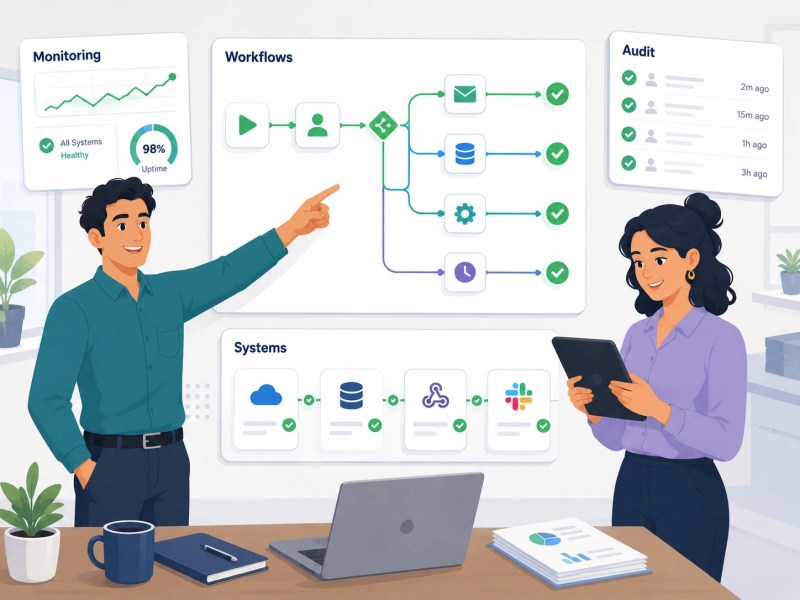
Scale Effect: Companies that treat Zapier as a system consistently report faster onboarding (because new tools plug into existing Zap structures), fewer data errors, and cleaner handoffs between departments. The difference isn’t the number of automations — it’s the discipline behind them.
Final Answer
Final Answer: Zapier is a reliable business automation platform when used as a designed system. It connects apps through event-driven Zaps, supports multi-step workflows and conditional logic, and scales across sales, HR, finance, and support. It breaks when triggers produce inconsistent data, when field mappings aren’t validated, or when failure handling isn’t built in. The businesses that get the most out of Zapier treat it as operational infrastructure — documented, audited, and designed with failure in mind — not a set of one-off shortcuts.
Need a reliable system?
Related Resources
FAQs
Can Zapier handle multi-step workflows with branching conditions?
Yes. Zapier’s Paths feature allows a Zap to branch into different action sequences based on conditions. For example, a lead above a certain score can route to one rep while others go to a general queue. Multi-path workflows should include a fallback branch for unmatched records so they can be reviewed instead of being skipped unintentionally.
What’s the difference between a task and a Zap in Zapier?
A Zap is the automation itself — the trigger-and-action sequence you configure. A task is counted each time an action step successfully runs. A 3-step Zap that fires 100 times uses 300 tasks. Understanding this distinction matters for plan selection and cost management. See Zapier tasks vs. Zaps explained for a full breakdown.
How does Zapier handle errors mid-workflow?
When an action step fails, Zapier logs the error and can send an email notification, depending on your settings. The Zap stops at the failed step — subsequent actions don’t run. Zapier also offers auto-replay for failed tasks on some plans. Building explicit error paths (e.g., a Slack alert when a step fails) is better than relying on email notifications alone.
Is Zapier suitable for automating financial or compliance-sensitive workflows?
Zapier can handle financial workflows such as invoice creation, payment logging, and approval routing. For regulated industries, Zapier’s Enterprise plan includes audit logs, role-based access, and SSO. Businesses handling regulated healthcare data should review Zapier’s current compliance policies carefully before using the platform in HIPAA-sensitive workflows.
When should a business hire a Zapier consultant instead of building internally?
Internal builds work for simple, single-department Zaps. A consultant becomes worth it when you’re designing multi-step workflows across systems, dealing with repeated Zap failures, or trying to consolidate a sprawl of one-off automations into a coherent system. See why hire a Zapier expert and how to choose a Zapier consultant for evaluation criteria.
About the author

Miguel Carlos Arao is the Founder & CEO of Alltomate, a Zapier Certified Platinum Solution Partner focused on business process automation using Zapier, including multi-step Zap design, cross-platform workflow architecture, and automation system auditing. This article is based on hands-on automation design, workflow systems, and real-world implementation experience.

Built by a certified Zapier automation partner
Explore more at
Zapier Automation Guide,
Zapier Consulting Services, and
Zapier Platform Overview.