
Most teams start pulling LinkedIn profile data the same way: someone opens a profile, copies the name, title, company, and location into a spreadsheet, and repeats it fifty more times. It holds up until the list grows past what one person can track — then fields go missing, formats drift, and the same profile gets pulled twice because nobody remembers who already did it.
An Apify LinkedIn profile scraper replaces that manual pull with a governed pipeline: profile URLs go in, validated structured records come out, and every run leaves an audit trail.
See how this fits into the broader pipeline in the lead management automation guide, which covers where sourcing sits relative to routing, scoring, and follow-up.
System Snapshot
- Problem: Manual LinkedIn profile lookups produce inconsistent, incomplete records once volume grows past manual tracking.
- Core System: An Apify actor pulls structured profile fields from a URL list, then routes them through validation and normalization before delivery.
- Key Risk if Missing: Rate-limited or blocked runs go unnoticed, and malformed or duplicate records enter downstream systems unflagged.
- Primary Outcome: A validated, audit-tracked feed of LinkedIn profile records ready for the next stage of the pipeline.
Where Manual LinkedIn Pulls Break Down at Volume
This system covers extracting public LinkedIn profile data through an Apify actor and delivering clean, validated records — not what a team does with those records afterward. It fits sales operations, recruiting, and research teams that need structured profile fields feeding into a sheet, CRM, or database, and it fits them specifically once manual copying starts producing gaps: missing current employer, malformed location strings, or the same profile entered twice because two people worked the same list.
It does not cover outreach sequencing, email discovery and verification, lead qualification, or CRM record deduplication beyond initial intake — those are handled by outreach automation and lead qualification automation respectively. It’s not the right fit for teams expecting an ungoverned mass-scraping tool with no review step, or for anyone expecting Alltomate to supply LinkedIn data itself — this system builds the extraction pipeline; the client owns the input list and how the data is used.
How the Apify Actor Feeds a Validated Record Pipeline
The pipeline starts with an input list of profile URLs or search parameters loaded into the actor, runs the scrape, and passes the raw output through normalization and validation before anything reaches a destination system. Each stage is built to fail into a queue rather than fail silently, which matters because scraped fields don’t always come back clean — a profile with restricted visibility returns partial data, not an error.
- Input list → URLs or search parameters loaded into the actor → run queued (malformed or dead URL → flagged before consuming a request)
- Actor run → scrapes public profile fields → raw JSON dataset (blocked or rate-limited request → retried with backoff)
- Normalization → raw fields mapped to a fixed schema → structured record (required field missing → routed to review queue)
- Validation → duplicate check against profile URL, format checks → passed record (duplicate found → merged or discarded per rule)
- Delivery → validated record pushed to sheet, CRM, or database (destination write failure → held and retried)
Each of these five stages fails into its own separate path rather than one that stops the whole run, as shown below.

Rate Limits, Retries, and Validation Gates That Keep the Pull Reliable
The control layer exists because scraping at any real volume runs into LinkedIn’s access controls and detection systems, which the platform states are continually strengthened against scraping and automation tools — pacing that’s too aggressive triggers temporary blocks, and a blocked run can stall queued work if the workflow doesn’t isolate failed requests from the rest of the queue. The system throttles request pacing per run, caps retries so a persistently blocked run doesn’t loop indefinitely, and logs every run’s timestamp, input source, and record count for later audit.
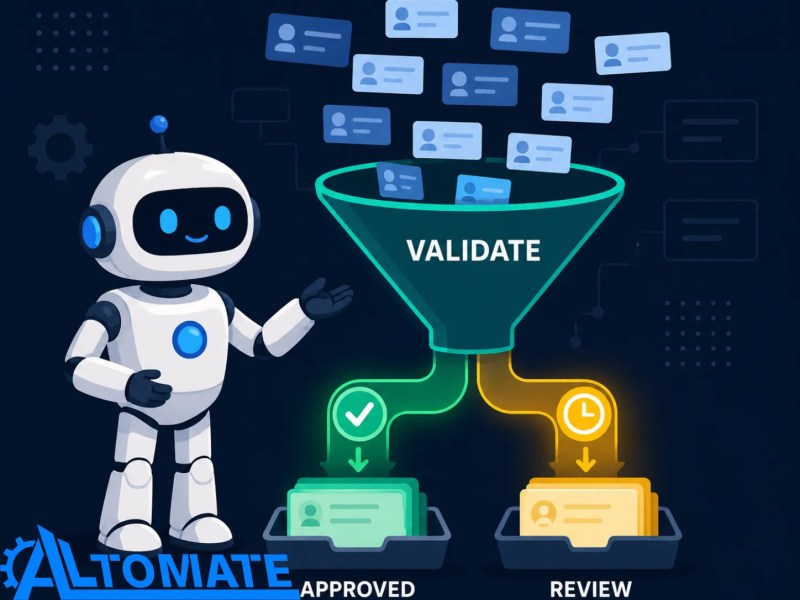
Records that come back incomplete — no listed current employer, a name field that doesn’t parse, a profile flagged private — don’t pass through automatically; they route to a review queue instead of entering the CRM as-is. Repeat pulls of the same profile URL get caught at the dedup check rather than creating duplicate rows, which is the same failure mode covered in more depth on how duplicate records enter a CRM.
Control Layer
- Run-level rate limiting and scheduling to work within LinkedIn’s access controls and request limits
- Retry logic with backoff for failed or partial runs, capped to prevent repeated blocking
- Field-level validation before records pass downstream
- Profile URL used as the dedup identifier across runs
- Audit log of run timestamp, input source, and record count
- Human review queue for incomplete or ambiguous records
The gate below is where that filtering actually happens — incomplete records get routed to review instead of passing straight through.
A scraper without this layer isn’t a smaller version of this system — it’s a different, riskier one. Treating LinkedIn extraction as a system design problem rather than a one-off script is where lead management automation services comes in, because the failure modes above compound quietly until a batch of bad records has already reached the CRM.
A Recruiting Team’s LinkedIn Sourcing Pull, Step by Step
Suppose a recruiting team building a candidate longlist loads 400 profile URLs from a search export into the actor. In this scenario, the run returns 380 usable records on the first pass; 20 come back with missing current-role fields because those profiles have limited visibility, and those route to the review queue instead of populating the ATS with blanks.
The validated 380 move to the destination sheet with a run ID and timestamp attached, so if a hiring manager later asks where a record came from, the audit log answers it without guesswork. This mirrors the kind of recruiting-focused sourcing automation Alltomate has built before — see the lead generation automation case study for recruitment for a related implementation.

Building the Actor Run and Normalization Layer
The actor reads from an input dataset of profile URLs; when a URL is malformed or points to a deleted profile, it gets flagged before the run consumes a request against it, instead of letting one bad row stall the whole batch. Field mapping runs against a defined schema, and when LinkedIn changes a profile section’s layout, mismatched selectors return null fields rather than wrong data — those records land in the review queue instead of passing silently into the CRM.
A rate-limit governor sets pacing per run; without it, back-to-back runs against the same account risk a temporary block that can halt queued pulls if the retry logic isn’t isolating the failure. Retry logic is capped rather than infinite, because a run that keeps failing usually signals an actor or input problem, not a transient one worth retrying indefinitely.
Input Lists, Actor Concurrency, and What This Pull Depends On
This system depends on a usable input list — profile URLs or search parameters that actually resolve — and an Apify plan tier with enough concurrency for the expected volume. It also depends on a destination with an API or webhook that can accept incoming records, and on someone owning what counts as a “passable” record, since that threshold determines how much lands in the review queue versus flows straight through.
For general lead-list sourcing that isn’t specific to LinkedIn profile pages — building lists from multiple source types rather than pulling structured fields off individual profiles — Apify-based lead scraping covers that broader case.
Where Validated LinkedIn Records Land Downstream
Validated records typically flow into Google Sheets, Airtable, or a CRM like HubSpot, Pipedrive, or Zoho, usually through a Zapier, Make.com, or n8n webhook rather than relying on a native LinkedIn API for this type of profile extraction, since LinkedIn’s own policy restricts programmatic profile access outside its approved partner channels. When the destination is a CRM, CRM data-entry automation governs how the record actually gets written once it arrives — this system stops at delivering a validated record, not writing it into every possible field a CRM expects.
The profile URL serves as the unique identifier across the pipeline, but that breaks down if someone changes their LinkedIn vanity URL between pulls — the same person can register as a new record unless the mapping accounts for it. Destination write operations carry their own limits independent of the scrape itself; a CRM’s API rate cap can throttle delivery even after the actor run has already completed successfully, which is why delivery sits behind its own retry queue rather than assuming a direct pass-through. Apify can also hand completed run events into downstream workflows through Apify webhooks, which trigger on run states such as SUCCEEDED, FAILED, or TIMED-OUT instead of relying on a manual export after each run.
A single validated record can branch out to several destinations at once, depending on how the workflow is configured, as shown below.

Metrics That Show Whether the LinkedIn Pull Is Under Control
The metrics that matter here are run success rate against retries and blocks, the percentage of records passing validation on the first attempt versus routed for review, the duplicate rate caught before reaching the CRM, and the time between run completion and record availability downstream. None of these are static — a spike in review-queue volume can point to a change in LinkedIn’s output, a shift in input quality, or an actor or validation-rule adjustment, which is what makes the metric useful as an early warning rather than proof the pipeline broke.
Where a Person Still Has to Look at the Record
Automation handles the pull and the first-pass validation, but judgment calls stay manual: whether a profile with a changed vanity URL is a genuine duplicate or a new hire at the same company, whether an incomplete record is worth a second pull attempt or should be dropped, and whether a title mismatch reflects a recent promotion the profile hasn’t caught up to. These are the records that sit in the review queue rather than the ones the system resolves on its own.

Related Systems in the Lead Pipeline
This system hands off validated records; it doesn’t decide what happens to them next. Explore related systems: once profiles land in the CRM, determining which profiles are worth pursuing is a separate step, executing outreach once a profile qualifies comes after that, and CRM lead assignment automation covers routing once records are confirmed and ready.
Frequently asked questions
Does this replace manual profile research in Sales Navigator?
Not necessarily — Sales Navigator can remain part of the research and prospecting process. This solution focuses on the downstream extraction and validation workflow for profile URLs supplied to the Apify actor, rather than replacing LinkedIn’s native prospecting interface.
How does this account for LinkedIn’s terms of service?
Rate limiting, scheduling, and audit logging are engineering controls; they don’t by themselves make a scraping workflow compliant with LinkedIn’s User Agreement or applicable privacy laws. The client is responsible for determining whether the intended collection and use is permitted.
What happens when Apify’s actor gets blocked or rate-limited?
The run retries with backoff up to a capped limit, and if the block persists, the run stops and logs the failure rather than looping indefinitely against a wall.
Can records go directly into our CRM without a review step?
Records that pass field-level validation on the first attempt can flow straight through; anything with a missing required field or an ambiguous duplicate match routes to a review queue instead of entering the CRM unchecked.
What if the same profile gets pulled twice in separate runs?
The dedup check uses the profile URL as the identifier and catches most repeats, but a changed vanity URL can slip past that check and needs a human decision on whether it’s the same record.
Why Alltomate
Alltomate is a Zapier Certified Platinum Solution Partner and an Apify Expert Partner, and this kind of pipeline is built the same way as any other automation system Alltomate designs: with failure states, retries, and audit trails treated as core requirements, not afterthoughts. If manual LinkedIn pulls have already outgrown what your team can track by hand, talk through the system design with Alltomate before building it in-house.
About the solution designer

Miguel Carlos Arao is the Founder of Alltomate and a Zapier Certified Platinum Solution Partner specializing in automation systems, workflow architecture, and real-world implementation.

Built by a certified Zapier automation partner
Explore more at
the lead management automation guide,
Apify email scraper automation, and
CRM data-entry automation.