
A candidate can be ready for interview at 10:00 a.m. and still be unscheduled at 4:00 p.m. because the ATS stage changed but nobody turned that state change into a valid calendar slot. The delay usually sits between systems: a recruiter notices the stage change, checks interviewer calendars, emails times, waits for a reply, creates the meeting, and then has to remember to write the result back into the candidate record.
Interview scheduling automation closes that loop by turning the interview-ready state into a controlled booking process with live availability, confirmation, reminders, reschedule handling, and ATS write-back. Recruiter involvement can then be concentrated on scheduling exceptions the workflow cannot resolve on its own rather than routine calendar coordination.
If interview-ready candidates are still waiting on someone to coordinate calendars manually, see how Alltomate builds automation and integration workflows that connect the handoff instead of adding another isolated scheduling tool.
System Snapshot
- Problem: Interview-ready candidates stall while recruiters manually coordinate candidate availability, interviewer calendars, confirmations, and ATS updates.
- Core System: An ATS stage change launches a controlled scheduling loop that exposes valid availability, confirms the booking, creates the calendar event, and writes the interview state back.
- Key Risk if Missing: Stale slots, duplicate bookings, missed reschedules, timezone errors, or failed ATS updates leave recruiters working from conflicting records.
- Primary Outcome: A confirmed interview whose candidate, calendar, meeting, and ATS states remain synchronized until the appointment occurs.
Where Interview-Ready Candidates Stall Between ATS and Calendar
This workflow begins only after the candidate has been approved for an interview and ends when the booking, calendar event, and ATS record agree on the active interview time. It is designed for recruiting teams where the scheduling handoff still depends on a person noticing a stage change, checking multiple calendars, and reconciling booking changes manually.
For a small team scheduling only a handful of interviews each month, a standalone scheduling link may be enough; the full workflow becomes more useful when ATS state, multiple interviewer calendars, reminders, reschedules, and record updates have to stay synchronized without recruiter reconciliation. It deliberately excludes candidate screening, qualification, interview evaluation, hiring decisions, offer generation, and onboarding, because automating those decisions would expand this page beyond scheduling-state management.
An interview invitation should not fire merely because a candidate record exists, and a candidate should not advance to another round because a timer expired. For the instructional setup pattern rather than the production-state controls covered here, see how to automate interview scheduling.
This manual coordination is exactly what the automation replaces, shown below.

Keeping One Interview State Across ATS, Booking, and Calendar
The workflow is designed around one active interview state rather than treating the ATS, scheduling page, and calendar as independent successes. Each transition carries identifiers for the candidate, interview round, booking, and calendar event so a later reschedule or cancellation modifies the existing appointment instead of creating a second version of it.
Availability is revalidated before the booking becomes authoritative because a slot can disappear while a candidate still has the scheduling page open. If the calendar reservation succeeds but the ATS write-back fails, the interview is not treated as fully synchronized; the failed update is retained for retry or exception handling instead of letting two systems disagree silently.
- Interview-ready stage → validate candidate email, interview type, and interviewer assignment → open scheduling path (missing field → exception queue)
- Availability request → query permitted interviewer calendars → show eligible slots (no valid overlap → recruiter review)
- Candidate booking → recheck selected slot and reserve calendar time → create booking ID (slot no longer free → return candidate to current availability)
- Interview confirmation → create meeting details and calendar event → write time and event ID to ATS (write failure → retry queue)
- Reminder schedule → queue candidate and interviewer reminders from confirmed time → deliver before interview (reschedule → cancel old reminders and regenerate)
- Cancel or reschedule → match original booking ID → update calendar and ATS together (duplicate event → suppress and log)
The broader business process automation guide covers how event-driven workflows coordinate multiple systems; this Solution stays focused on whether every scheduling component still agrees on the candidate’s current interview state.
The loop that keeps this state consistent is illustrated below.
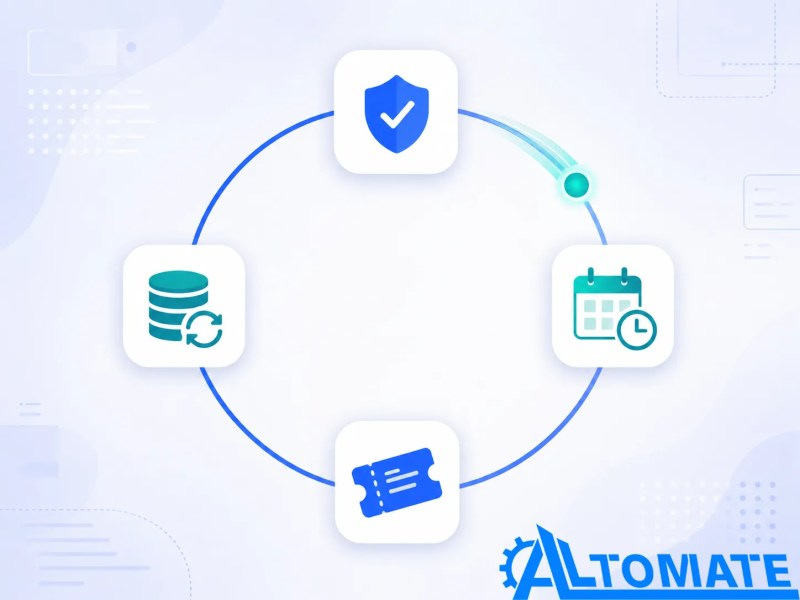
Calendar Conflicts, Expired Links, and Duplicate Booking Triggers
The control layer matters because calendar availability changes after invitations are sent, candidates reopen old links, interviewers decline meetings, and ATS stage events can fire more than once after a record is edited. Without controls around those changes, a workflow can send a valid confirmation for a slot that is no longer valid or create a second event while the first one still exists.
The recovery path therefore treats the booking ID and current interview stage as system state rather than trusting whichever event arrived last. Repeated failures that survive retries move out of the automated path so a recruiter can resolve the actual scheduling decision instead of the workflow looping indefinitely.
Control Layer
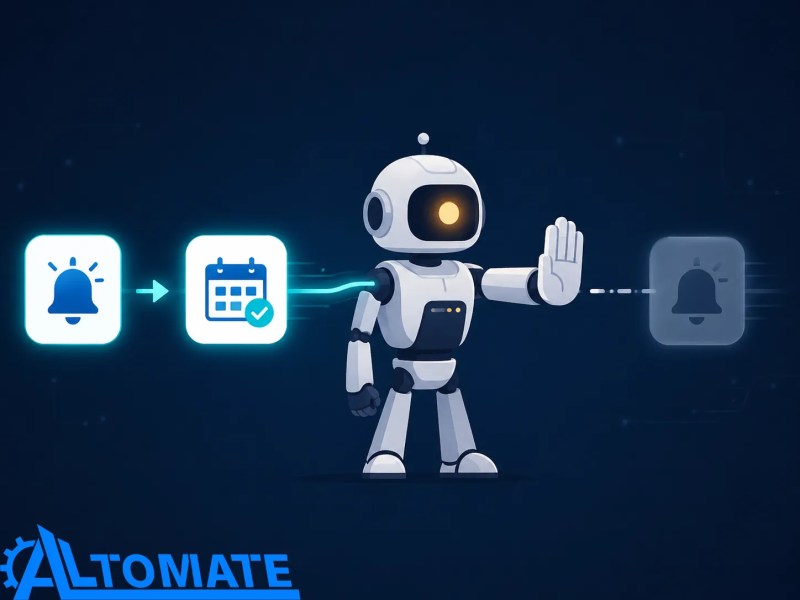
- Duplicate ATS stage-change events are checked against the active interview state before another scheduling invitation is created.
- Selected availability is revalidated at booking time so a newly occupied slot cannot be confirmed from stale availability.
- Candidate and interviewer timezones are normalized before slots are displayed and before reminders are scheduled.
- Expired scheduling links are rejected and regenerated from current availability rather than reopening an outdated slot set.
- Panel interviews with no common availability route to manual coordination instead of displaying unusable or incomplete options.
- Reschedules and cancellations invalidate the prior calendar event and reminder schedule before the replacement booking becomes active.
- ATS write-back failures retry against the candidate and booking identifiers rather than creating a second candidate record or interview event.
- Repeated integration failures leave the candidate in an exception queue with the last successful scheduling state recorded for recovery.
Once scheduling errors are recurring instead of isolated, the decision is no longer whether to add another calendar rule — it is whether the hiring workflow has a reliable state model at all. Business automation consulting for cross-system workflows is where that design problem gets mapped before double bookings, missed candidates, and manual reconciliation become normal operating work.
Here is how a duplicate stage-change trigger gets stopped before it reaches the candidate.
Example: The Candidate Books, Then the Interviewer’s Calendar Changes
Suppose a candidate moves into the interview-ready stage, receives a valid scheduling window, and books Tuesday at 2:00 p.m.; the system creates the calendar event and writes the booking ID and time into the ATS. If the interviewer later becomes unavailable and the booking is changed, the reschedule path has to retire the original event, remove its reminders, create the replacement event, and update the same ATS interview record rather than leaving Tuesday at 2:00 p.m. active in one system.
The exact business context differs, but the synchronization principle has appeared in Alltomate’s appointment synchronization automation case study: when a booking changes, the operating record must receive that change instead of forcing staff to reconcile separate scheduling and tracking systems manually. For interview scheduling, the same principle applies to candidate, calendar, and ATS state without extending this page into the surrounding hiring process.
The before-and-after of that replacement looks like this.

Stage Triggers, Booking IDs, and ATS Write-Back Logic
The stage-change trigger is filtered against the current candidate stage before outreach begins, because a duplicated webhook or re-saved record can otherwise send a second scheduling invitation to someone who already booked. The scheduling branch carries the candidate identifier and interview-round identifier forward so a confirmation cannot accidentally write into the wrong candidate or the wrong round.
The booking-confirmation event is placed behind a validator and retry queue because a calendar reservation can succeed while the ATS update fails, leaving the recruiter dashboard unaware of an interview that is already on the calendar. This kind of partial synchronization risk is common in event-driven integrations more broadly — webhook deliveries aren’t guaranteed to arrive exactly once, so downstream systems need retry and deduplication logic rather than assuming a single successful update reflects the full state. A successful retry updates the original record using the stored identifiers; a persistent failure is surfaced through workflow error monitoring instead of disappearing behind a successful calendar booking.
Availability Rules the Scheduling Loop Depends On
The automation needs a defined interview-ready stage, a reachable candidate email address, an interview duration, an interviewer or panel assignment, connected availability calendars, timezone rules, and a writable candidate record. If any of those inputs are optional in the current hiring process, the workflow needs an explicit fallback because it cannot infer whether a missing interviewer means “choose anyone available” or “do not schedule yet.”
Panel interviews add another constraint: the system needs a valid overlap across every required attendee, not merely one free interviewer. When no common window exists inside the permitted booking range, human coordination is the correct fallback rather than widening availability without approval.
Identifier Mismatches and Event Timing Across ATS, Calendar, and Meeting Tools
The scheduling layer has to reconcile at least three records: the candidate’s interview state, the reserved calendar event, and the meeting or booking record. Those systems can use different identifiers, so candidate ID, interview-round ID, booking ID, and calendar-event ID need explicit mappings. Matching by candidate name or interview date becomes ambiguous as soon as someone reschedules or reaches another interview round.
Event timing also differs between connected platforms: webhooks push data the moment an event occurs, while polling requires an application to check an API at set intervals, and that difference matters here — Alltomate’s webhooks and API integrations comparison covers the underlying integration models. A webhook can surface a cancellation quickly, while scheduled polling can leave downstream reminders or ATS status temporarily reflecting the previous booking, so the scheduling workflow has to account for that lag before treating every connected record as current.
Metrics That Reveal Hidden Interview-Scheduling Failures
Alltomate recommends tracking five signals in this workflow: time from interview-ready to confirmed booking, percentage of candidates booked without recruiter intervention, exception rate, reschedule and cancellation rate, and the delay between a booking event and the corresponding ATS update. A low booking time can still hide a broken system if calendar events are being created quickly but ATS write-back latency is growing or recruiters are manually repairing a high percentage of exceptions.
Monitoring should therefore distinguish successful bookings from successful end-to-end synchronization. If candidates are booking but confirmed interview records stop appearing in the ATS, the scheduling front end is healthy while the operating loop is not; Alltomate’s automation audit checklist can also help teams assess handoffs, system reliability, and broader workflow weaknesses around that operating model.
What a Healthy Interview Booking Loop Produces
A healthy loop leaves one active interview state across the candidate record, calendar, and booking layer, with the correct reminder schedule attached to the current event. If a candidate reschedules, there should not be an old calendar event, an outdated ATS time, or a reminder still pointing to the cancelled slot.
The result is not zero recruiter involvement; it is recruiter involvement concentrated on real exceptions rather than routine calendar coordination. That distinction keeps automation from masking ambiguous scheduling decisions behind automatically generated events.
This is what that resolved, synchronized state looks like.

Where Recruiters Still Need to Override the Calendar
Manual review still belongs in the process when a panel has no common availability, an interviewer must be substituted, a candidate requests an accommodation outside configured rules, or an executive interview needs priority handling. Those situations require a business decision about who should move and which constraint can change, not another automatic attempt to force calendars into alignment.
The same applies when a candidate repeatedly reschedules or an interview stage moves backward after a booking already exists. Automation should surface the current state and available options, but the recruiter should decide whether the appointment is replaced, paused, or cancelled.
From Interview Scheduling to the Rest of the Hiring Workflow
Interview scheduling is one handoff inside a larger hiring process, and expanding this page into screening, evaluation, offers, or onboarding would blur the system boundary. For the wider HR workflow context, see the HR workflow automation guide; the scheduling page remains responsible only for moving an interview-ready candidate into a synchronized confirmed appointment.
If the operational question is broader than recruiting and involves multiple systems, approvals, or cross-team state changes, broader cross-system workflow design covers the larger process layer without turning interview scheduling into a catch-all automation page.
Frequently Asked Questions
What happens if a candidate books a slot and the interviewer becomes unavailable?
The selected event has to be matched by booking ID, cancelled or replaced, and written back to the same ATS interview record. Leaving the original event active creates conflicting calendar and candidate states even if the replacement booking succeeds.
How does interview rescheduling avoid creating duplicate calendar events?
The reschedule event references the active booking and calendar-event identifiers before a replacement is created. If the same reschedule notification arrives twice, the duplicate is suppressed rather than generating another interview event.
Can panel interview scheduling be fully automated?
Only while the required interviewer calendars produce a valid overlap inside the permitted booking window. When there is no common slot or an interviewer substitution requires judgment, the candidate should route to recruiter review instead of receiving an unusable schedule.
What happens if the candidate books successfully but the ATS update fails?
The confirmed booking is held with its candidate and event identifiers while the write-back retries. If the ATS remains unavailable or rejects the update, the failure is surfaced for review because a calendar-only success leaves recruiters working from an incomplete candidate record.
Does this workflow decide which candidates should receive an interview?
No; the scheduling trigger assumes a human or separate qualification process has already moved the candidate into an interview-ready state. If that decision signal is missing or ambiguous, the workflow should stop instead of sending an interview invitation based on a timer or incomplete candidate record.
Why Alltomate
Alltomate is a Zapier Certified Platinum Solution Partner, and interview scheduling is the kind of workflow where the difficult part is not sending a booking link — it is keeping candidate stage, availability, booking, reminders, and record updates consistent when events change or fail. The design should match the team’s actual interview rules and exception paths rather than assuming every candidate follows the same calendar sequence.
If recruiters are still discovering missed bookings, stale interview times, or failed record updates by checking systems manually, start with a free business process audit to identify where the scheduling loop is losing state before adding more automation around it.
About the solution designer

Miguel Carlos Arao is the Founder of Alltomate and a
Zapier Certified Platinum Solution Partner specializing in automation
systems, workflow architecture, and real-world implementation.

Built by a certified Zapier automation partner
Explore more at
business process automation resources,
the interview scheduling automation guide, and
monitoring automation failures.