
Most businesses think they have “document workflows.”
What they actually have are disconnected steps held together by people, emails, and manual effort.
This is where delays, errors, and lost data quietly accumulate.
As shown below, what appears to be a workflow is often a fragmented system with no real continuity.

You can explore more system-level breakdowns in our automation blog.
Key Takeaways
- Most document workflows are not systems—they are sequences of manual actions
- Breakdowns happen at handoffs, approvals, and data extraction points
- Workflow efficiency depends on integration, not just digitization
- Automation replaces coordination, not just effort
What a Document Workflow Really Is
A document workflow is the movement of information across systems, people, and decisions.
It is not just “creating and storing files.”
It includes intake, validation, routing, processing, and storage.
In the system below, you can see how structured workflows replace fragmented steps with connected data flow.

For a full system view, see our document automation guide.
For broader context, explore all automation guides.
Document Workflow Example #1: Invoice Processing
Typical flow:
- Invoice received via email
- Manually downloaded and saved
- Data entered into accounting system
- Sent for approval
- Payment scheduled
Where it breaks:
- Manual data entry errors (IBM reports error rates can reach up to 26.9%: source)
- Approval delays
- Missing invoices
This workflow appears simple, but each step depends on human coordination. As volume increases, even small delays or entry errors compound into financial discrepancies and missed payment timelines.
At scale:
As invoice volume grows, these small inefficiencies stack. Delayed approvals slow cash flow, incorrect entries create reconciliation issues, and missing documents introduce financial risk that becomes harder to trace over time.
This is why many teams shift toward invoice automation systems.
You can explore more automation approaches in automation solutions.
Document Workflow Example #2: Contract Approval
Typical flow:
- Draft created
- Sent via email for review
- Multiple revisions across versions
- Final approval via PDF or signature tool
Hidden problem:
The workflow is not centralized—it’s scattered across inboxes and files.
This leads to version confusion, delays, and compliance risk. Each revision introduces uncertainty about which version is authoritative, especially when approvals happen asynchronously.
Related system breakdown explained in approval workflow analysis.
Document Workflow Example #3: Employee Onboarding Documents
Typical flow:
- Forms sent manually
- Employee fills and returns
- HR stores files
- Data manually entered into systems
System issue:
Data duplication across systems creates inconsistency and long-term integrity issues.
Over time, mismatched records between HR, payroll, and internal systems lead to reporting errors, compliance exposure, and costly manual reconciliation.
At scale:
As employee volume grows, duplicated data across systems compounds inconsistencies—affecting payroll accuracy, compliance reporting, and internal decision-making.
Document Workflow Example #4: Customer Intake Forms
Typical flow:
- Customer submits form
- PDF generated or email received
- Team manually reviews and extracts data
- Information entered into CRM
Failure point:
The extraction step becomes the bottleneck.
As illustrated below, bottlenecks occur when documents get stuck between disconnected systems and manual steps.
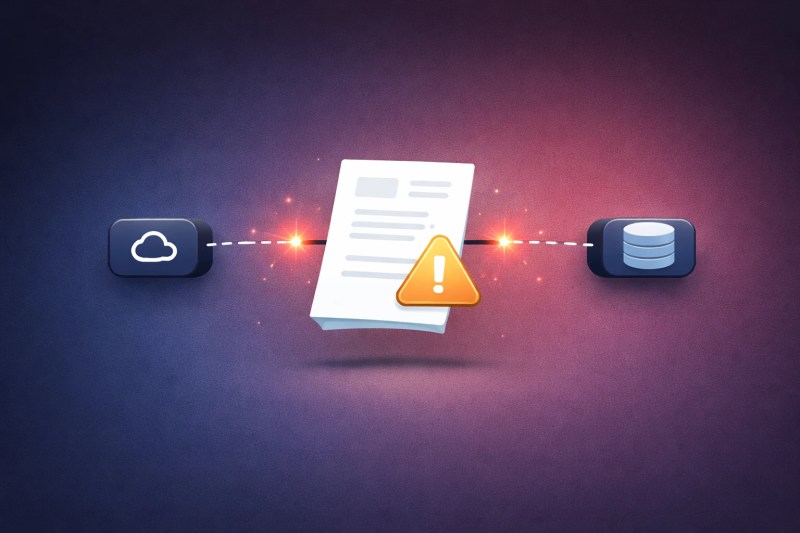
Manual extraction slows response time and introduces errors.
This delay directly impacts lead response speed and customer experience, especially in high-volume environments.
At scale:
As lead volume increases, slow extraction creates response delays, reducing conversion rates and creating backlogs that sales teams cannot keep up with.
This is where OCR-based data extraction becomes critical.
Data & Evidence
According to McKinsey, up to 60–70% of work activities can be automated (source).
Gartner reports poor data quality costs organizations $12.9M annually (source).
IDC research shows document-driven inefficiencies are a major operational constraint (source).
These inefficiencies are often rooted in workflow fragmentation—not workload.
Where Document Workflows Break
Across all examples, breakdowns occur in the same places:
- Input stage: inconsistent formats and missing data
- Processing stage: manual handling and delays
- Handoff stage: unclear ownership and lost context
- Storage stage: poor organization and retrieval issues
Each breakdown point introduces friction. When combined, they create compounding delays that are difficult to trace but highly visible in outcomes.
See related breakdown patterns in manual processing issues.
If these breakdown points exist in your workflow, you can identify them systematically with a process audit.
Why Manual Workflows Fail Structurally
Most document workflows fail for a structural reason: they rely on people to carry state between steps.
Every time a document moves—downloaded, forwarded, re-entered—the system loses continuity. Context lives in inboxes, memory, or spreadsheets instead of in a persistent system.
This creates what can be described as a “state gap.” Each handoff introduces risk:
- Data is reinterpreted instead of transferred
- Ownership becomes unclear between steps
- Delays occur because action depends on human availability
At small scale, this is manageable. At volume, it becomes exponential.
This is why manual workflows don’t just slow down—they degrade.
For implementation support, review available automation services.
Symptoms of Broken Workflows
- Repeated data entry across systems
- Approval bottlenecks and missed handoffs
- Lost or duplicated documents (costing up to $120 to locate and $250 to replace: source)
- Inconsistent records between departments
- Slow turnaround times and delayed responses
These symptoms are often misattributed to team performance, when they are actually indicators of system design failure.
System-Level Effects
When document workflows break, the impact extends beyond operations:
- Revenue delays due to slow invoicing and approvals
- Customer experience degradation from delayed responses
- Compliance risks from missing or incorrect documentation
- Data fragmentation across systems, reducing decision accuracy
These effects compound over time, especially as document volume increases. What begins as minor inefficiency becomes a systemic constraint on growth.
This connects directly to broader business process automation systems.
Solution Direction (Without Overbuilding)
Fixing document workflows requires restructuring how data moves across the exact failure points shown earlier.
- Data capture: Combines extraction and intake to eliminate manual entry errors and inconsistent inputs
- Flow control: Standardizes routing and approvals to remove bottlenecks and version confusion
- System consistency: Synchronizes data across systems to prevent duplication and integrity issues
Explore document processing automation.
Mid insight:
If your workflow relies on people to move data between systems, it is not a workflow—it is a dependency chain.
This is where integration services become necessary.
Before vs After
The shift from fragmented workflows to system-driven workflows is illustrated below.

| Manual | Automated |
|---|---|
| Email handoffs | System routing |
| Manual entry | Automated extraction |
| Delayed approvals | Rule-based approvals |
| Scattered storage | Centralized systems |
FAQ
What is the most common document workflow problem?
Manual data entry and approval delays are the most frequent failure points.
Is digitizing documents enough?
No. Digitization without automation still requires manual handling.
Why do automation attempts fail?
Because they automate individual steps instead of fixing the full workflow system, leaving handoffs and data gaps unchanged.
Why do document workflows break more as a business grows?
As volume increases, manual steps compound, making delays and errors more frequent and harder to manage.
What is the difference between a document workflow and a process?
A document workflow focuses on how data moves, while a process defines decisions, ownership, and outcomes.
Conclusion
Most document workflows don’t fail because they are complex.
They fail because they rely on people to connect steps that should be connected by systems.
If your workflow depends on someone remembering, forwarding, or re-entering information, failure is not a risk—it is the default state.
The only way to fix it is to remove the dependency chain entirely.
Next Step
If you want to identify where your workflows are breaking:
Get a free business process audit